features
What's New in TimeControl Version 8.6.1?
 What’s new in version 8.6.1 of TimeControl, TimeControl Online, TimeControl Industrial, TimeControl Industrial Online and TimeControl Project
Version 8.6.1 of TimeControl, TimeControl Online, TimeControl Industrial, TimeControl Industrial Online and TimeControl Project include a number of exciting new and enhanced features. Here is more detail on some of what’s new and enhanced in this update.
New features and enhancements for all TimeControl editions
The following new features and enhancements will appear in all editions of TimeControl including TimeControl on-premise, TimeControl Industrial on-premise, TimeControl Online, TimeControl Industrial Online and TimeControl Project.
New Integration with Birdview PSA
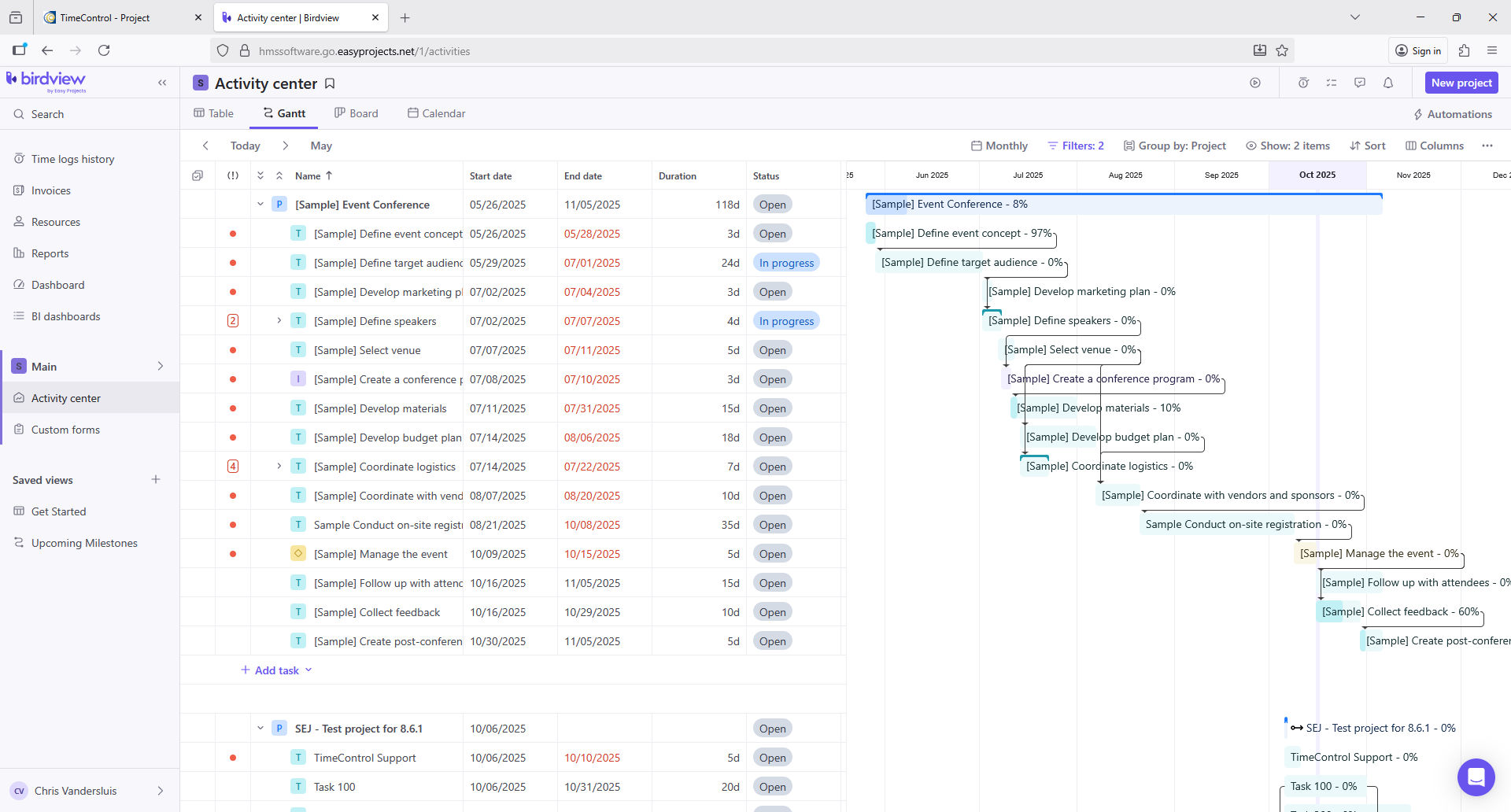 We have established a technical alliance with the people at Birdview PSA (www.birdview.psa) based in Canada. Working together, we have created a bidirectional integration with Birdview PSA. From Birdview PSA, you can load TimeControl with project, charge code and resource assignment information. Then, from TimeControl, you can send back timesheet actuals and estimate to complete. We’re very excited about this new integration.
More Language Support for 2-byte characters
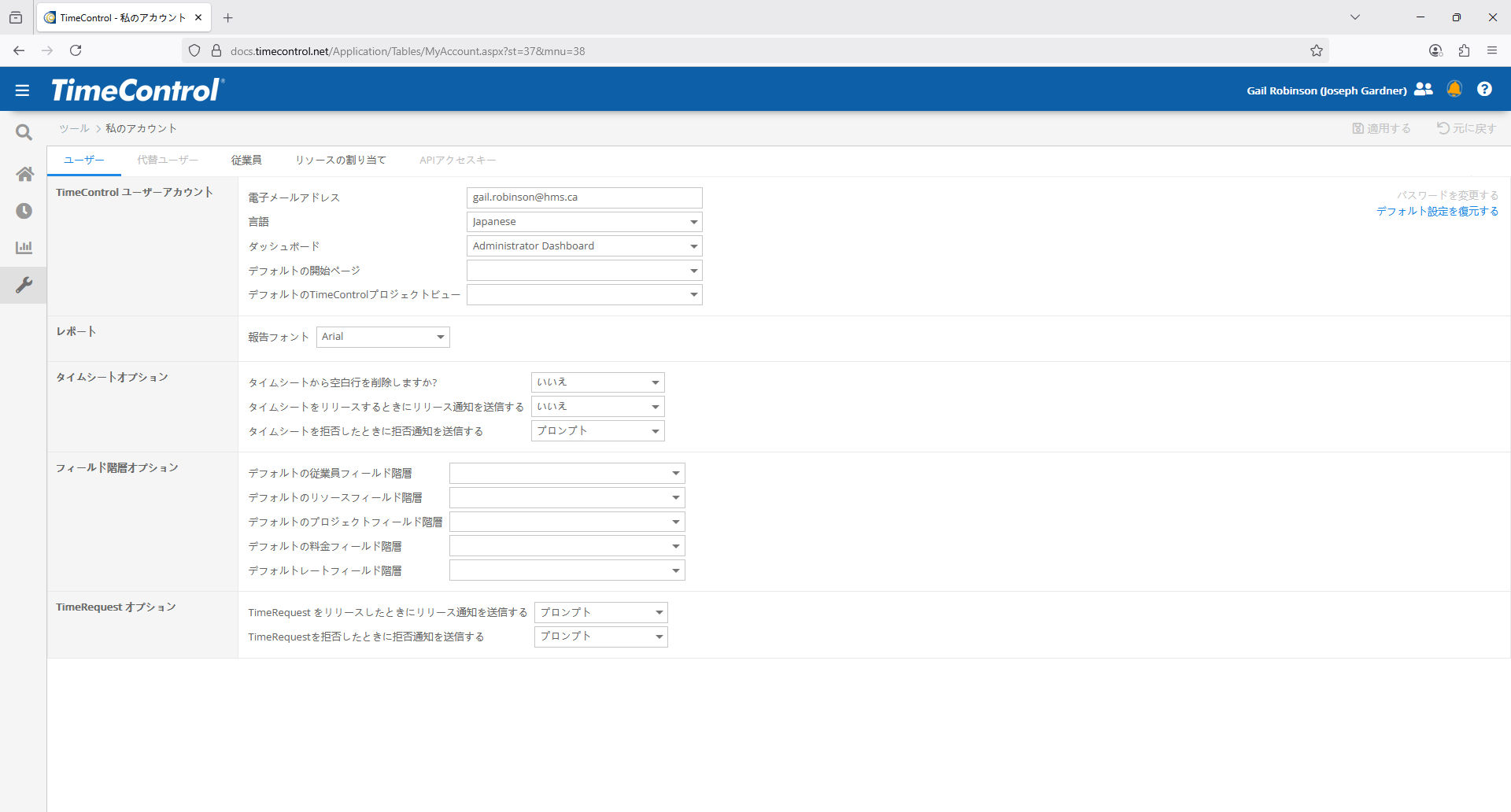 We’ve enhanced the language support in all versions of TimeControl to support many more language definitions in what is often referred to as two-byte characters. So, translations into Japanese, Chinese, Arabic and other languages is now possible in TimeControl. You don’t need HMS to create your own translations into these languages but we will be shipping TimeControl with additional language options.
Project Planner
TimeControl has had a link to every version of Microsoft Project since 1995. Microsoft recently announced some changes to its project management line up. Microsoft Project on the Web has been discontinued so we have removed the TimeControl link to it. Microsoft has announced that it will retire Project Online in September of 2026. We will continue to support the link to Project Online until Microsoft has confirmed that it has been discontinued. We continue to support links to Microsoft Project Desktop and Project Server on-premise. In TimeControl 8.6.1 we have added a new link to Microsoft Planner.
Resource Assignment Table User Defined Fields
TimeControl now supports User Defined fields on the Resource Assignment Table.
P6 Assignment UDFs
One of the most popular links between TimeControl and other products is the integration included that ties to Oracle’s Primavera Pro and Primavera EPPM. We’ve had a link to Primavera since 1997 (that’s over 10 years before it became a part of Oracle) so it’s perhaps no surprise that the integration continues to evolve. In this version we have enhanced the way that TimeControl imports resource assignments to allow the values of Primavera User Defined Fields to be supported. This features works in the 3 types of links: Direct to Database, Web Services and RESTful.
Start/Stop changes in browser view
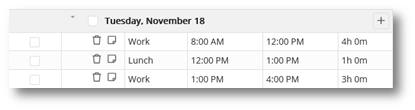 With changes needed for Crew Start/Stop and Mobile Start/Stop we’ve updated the Start/Stop panel in the standard timesheet to be much more efficient. We’ve also added new functionality to the module including the ability to categories Start/Stop lines and to add freeform notes to the line.
Start/Stop in Mobile
The free TimeControl Mobile App is incredibly popular (perhaps because we made it free?). In this version we have enhanced the Mobile TimeControl App to include the ability to edit Start/Stop in individual timesheets. This adds the start/stop ability that has long been inside the browser interface+. The free TimeControl Mobile App is available for both iOS and Android devices.
Alternate Users in Mobile
Years ago, we created the Alternate User functionality in TimeControl to help manage key employees who are gone and allow them to designate an Alternate to manage their TimeControl responsibilities while away. We’ve enhanced the feature numerous times because it is so popular. Now we’ve extended Alternate Users to the free TimeControl Mobile App.
Shift Table
With all the work on Start/Stop we’ve also added the ability to load Start/Stop defaults. So, if you have a workday that is 8am to noon, then an hour for lunch, then 1pm to 5pm, you can create that default in the new Shift Table and associate that Shift schedule to each employee or, in the case of TimeControl Industrial to each Crew. Then, when creating a timesheet, you can optionally include the time defaults. We think this will be a big time saver for those who track the start/stop times for work.
New in TimeControl Industrial and TimeControl Industrial Online
Start/Stop in Crew Timesheets
Many clients use Start/Stop in their timesheet to add the time of day to the start and end of the individual’s timesheet. Multiple Start/Stop entries in a day allows even more granular entry of starting of each shift or tracking each break. This version of TimeControl Industrial and TimeControl Industrial Online extends that functionality from the individual timesheet to the crew timesheet.
Material Debit/Credit
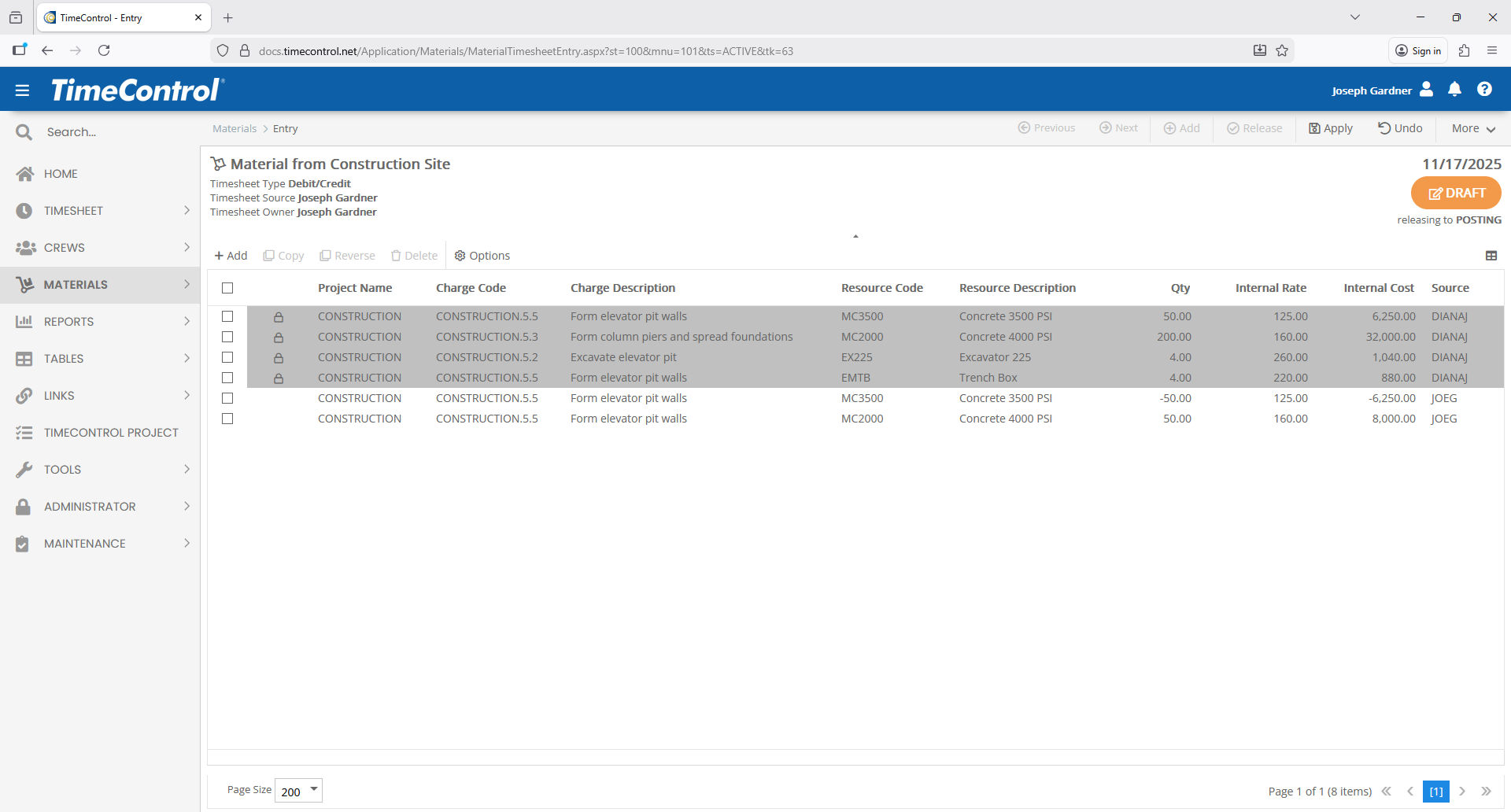 Auditable Debit/Credit adjustments is one of those features that empowers TimeControl data to be count-on-able by Finance. We’ve now extended this functionality in TimeControl Industrial and TimeControl Industrial Online to allow a Debit/Credit to be created for Posted Materials entries. TimeControl’s Material Entry allows material consumption, equipment usage and other non-labor entries to be tracked. The Material Debit/Credit functionality will allow entries to be adjusted or corrected after posting in a way that allows the changes to be tracked and auditable.
Start/Stop in Mobile Crew Timesheets
With the addition of Start/Stop in Crew timesheets, we didn’t think the work would be complete without adding the same functionality to the free TimeControl Mobile app for TimeControl Industrial users. So, now we also have Start/Stop in Crew Timesheets on Mobile.
Timesheet Sign-off for Crew Start/Stop in TimeControl Mobile
Our clients in California know the strict labor laws referred to as California Work Rules. TimeControl functionality has supported the different elements of these rules for many years. But we have found some clients who wanted to extend that functionality from how we have supported it for individual timesheets in the past to our crew timesheets in TimeControl Industrial. Up until now, TimeControl Industrial administrators would have to route approvals from the supervisor back to the individual users for the individual sign off of things like break times, overtime etc. But now, we have extended new functionality in a Timesheet Sign-off module in the free TimeControl Mobile App that will include the Start/Stop times and other required elements of an individual’s day without having to look at the whole timesheet. This will be important when Start/Stop times are entered in the Crew timesheet.
Timesheet Sign-off and Reconciliation
The Timesheet Sign-off functionality in the free TimeControl Mobile App needed a matching interface on a browser. This can be found in the new Timesheet Sign-off functionality within the timesheet menu. When accessed by an end-user, they will see only their own pending timesheet data which they can validate on the screen. When this module is accessed by an Administrator, it allows them to see any validations that were either unsuccessful or incomplete. This is a key element of supporting environment such as those found under California Work Rules where timesheets may have been entered on behalf of an employee but that employee must still validate that the data is correct. When a situation occurs where an employee does not approve of the start/stop times or breaks that have been entered on their behalf, that must be reconciled against the timesheet. This auditable module allows necessary changes to be made before data is pushed further into the payroll process.
And there is so much more…
There’s so much more. Improvements in performance and memory management. Improvements on speed across the application include updates to the underlying architecture on both the web and mobile versions that have improved performance.
How to upgrade
If you have a current service agreement for TimeControl or TimeControl Industrial you can download the new version on the support/updates page. The free TimeControl Mobile App will be updated on the Apple Store and Google Play automatically. For subscribers to TimeControl Online, TimeControl Industrial Online and TimeControl Project, these systems have been updated automatically.
For more information on the latest TimeControl features or our upgrade services, please fill in a contact request at email info@hms.ca .